Who it's for
Less paperwork, fewer hours, for every kind of property
Pick your property type to see it in the app, and what changes.
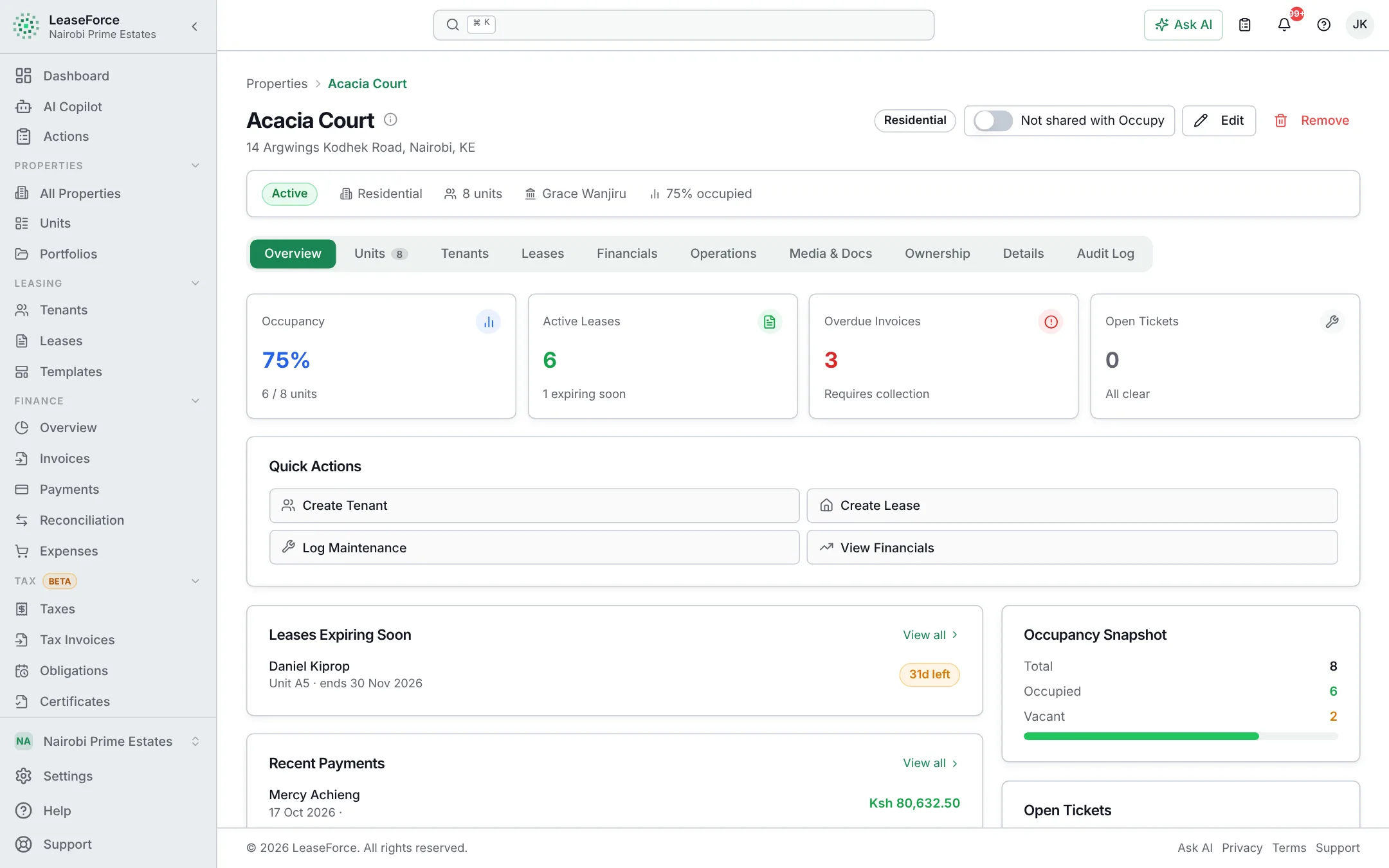
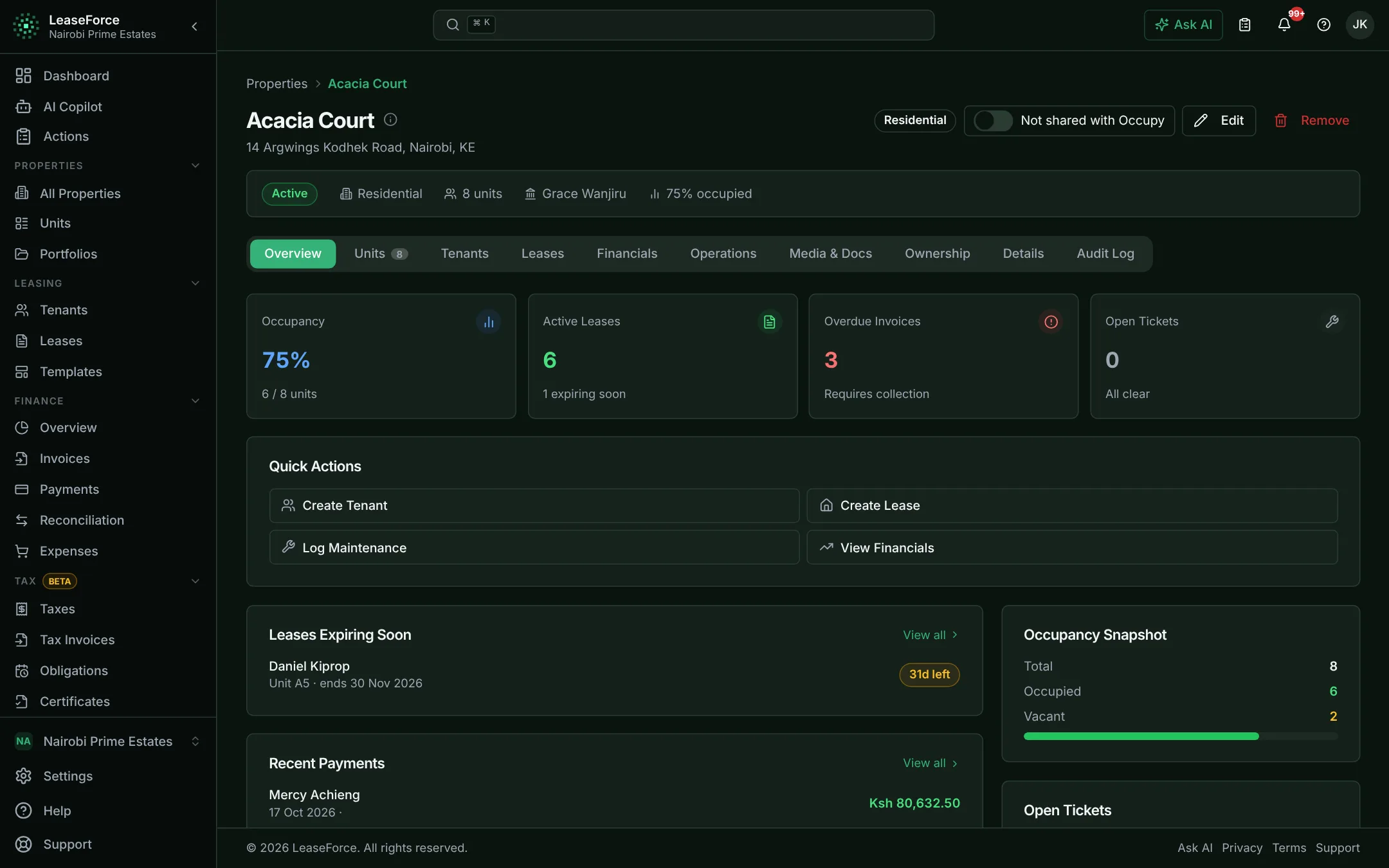
Apartments & landlords
Rent collected, matched and recorded. No paper, no spreadsheets, no agency cut.
See how it works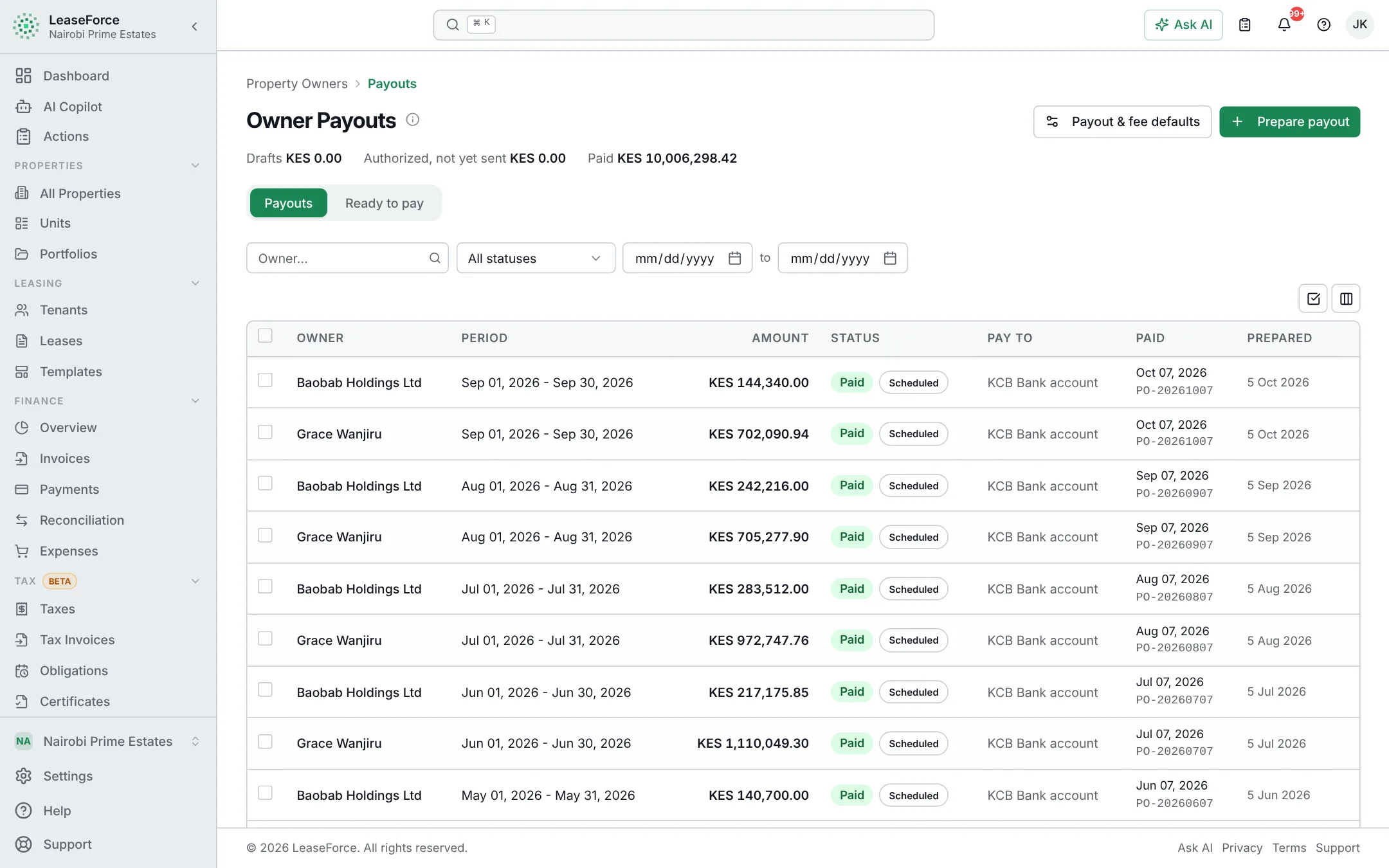
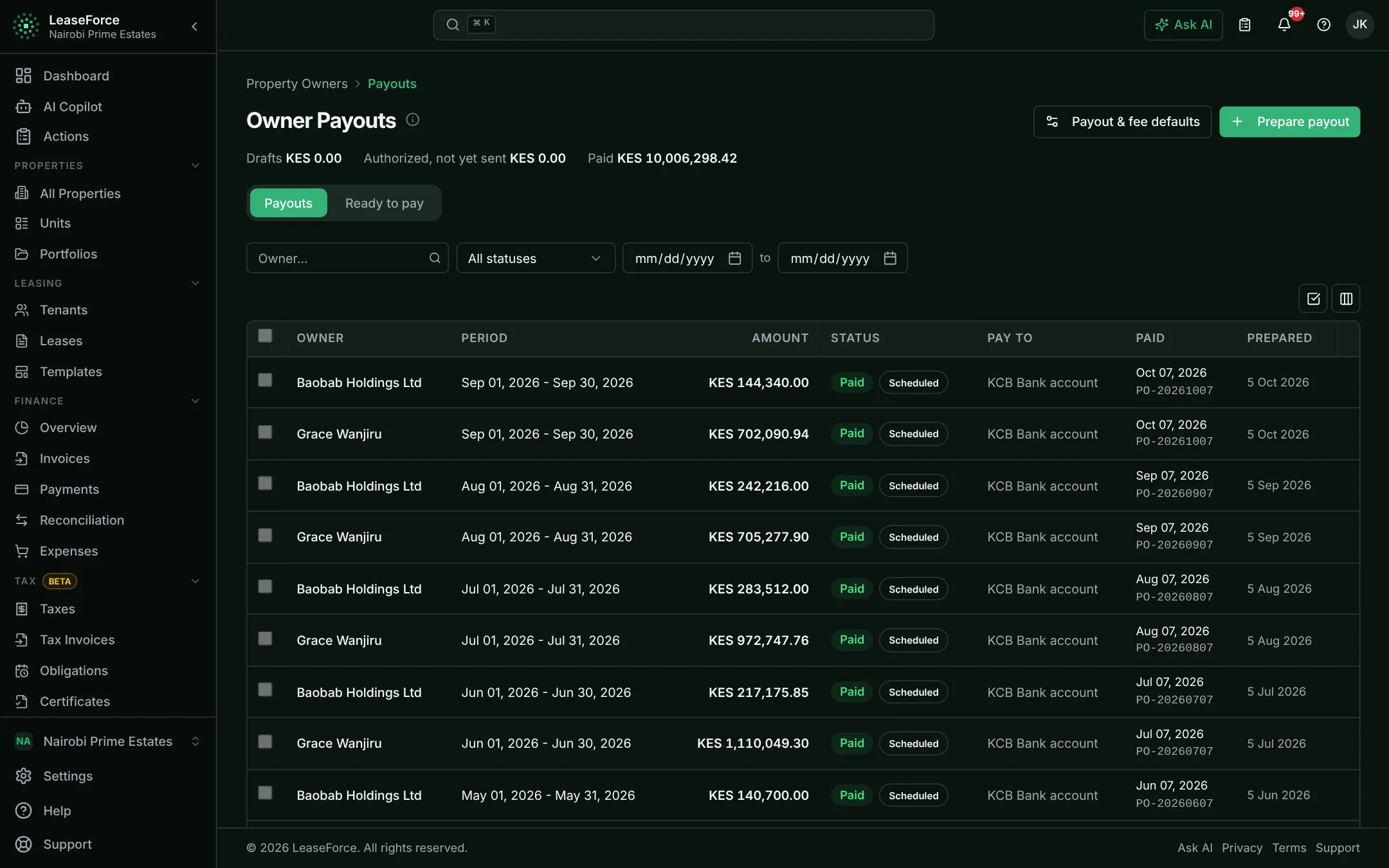
Property management agencies
Many owners, one team. Owner statements and payouts done for you.
See how it works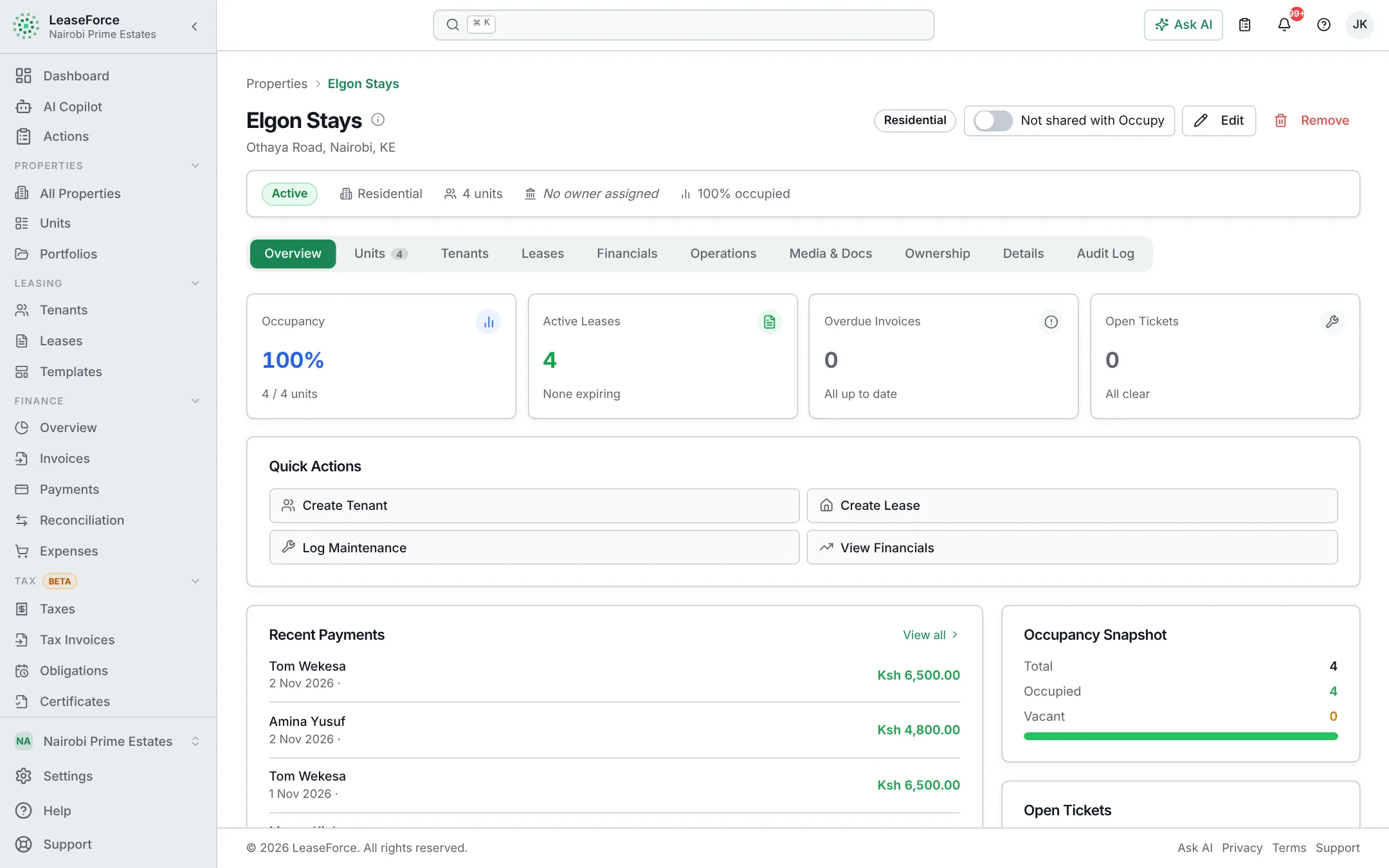
Hostels & student housing
Whole intakes moved in, billed and reconciled in days, not weeks.
See how it works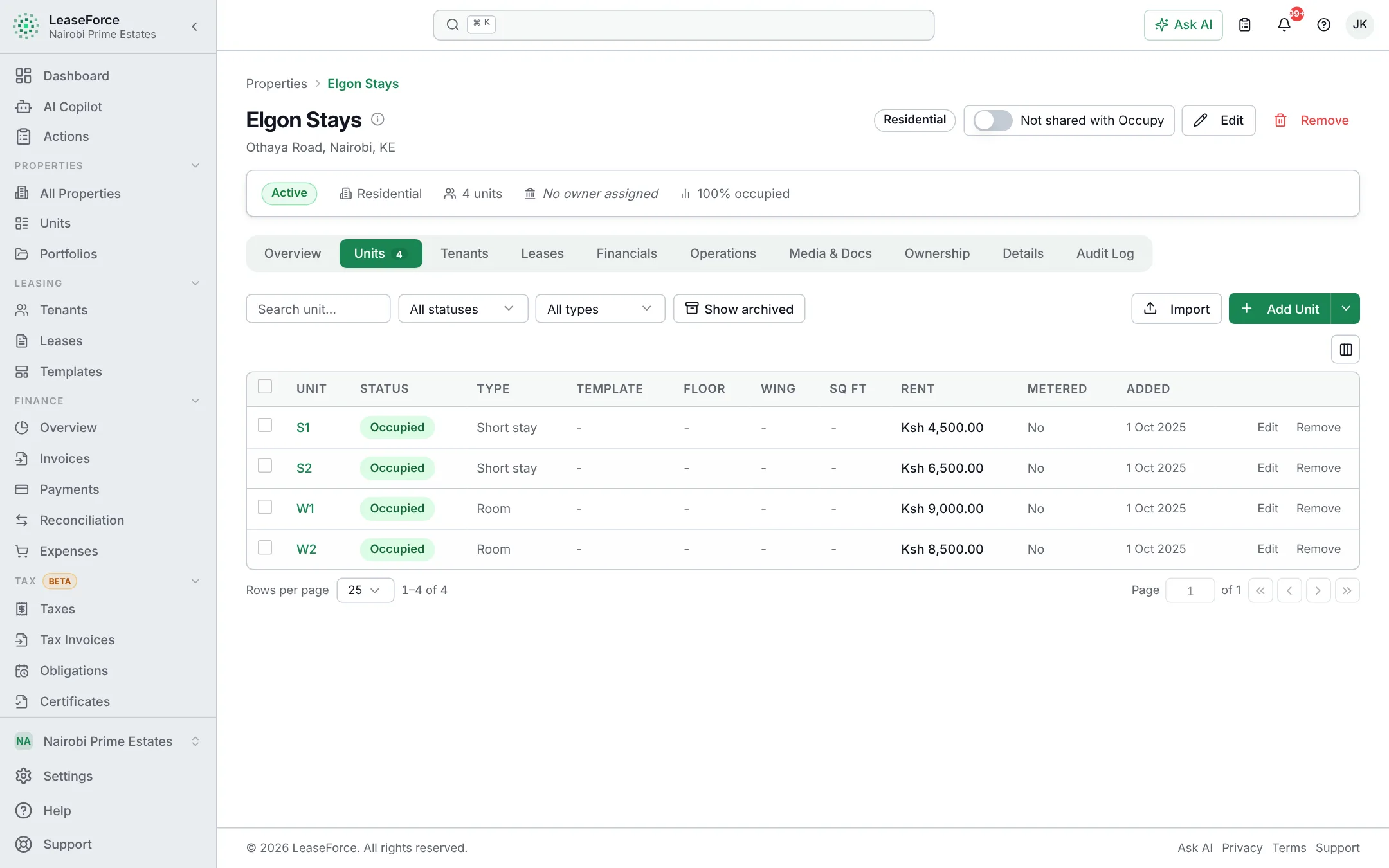
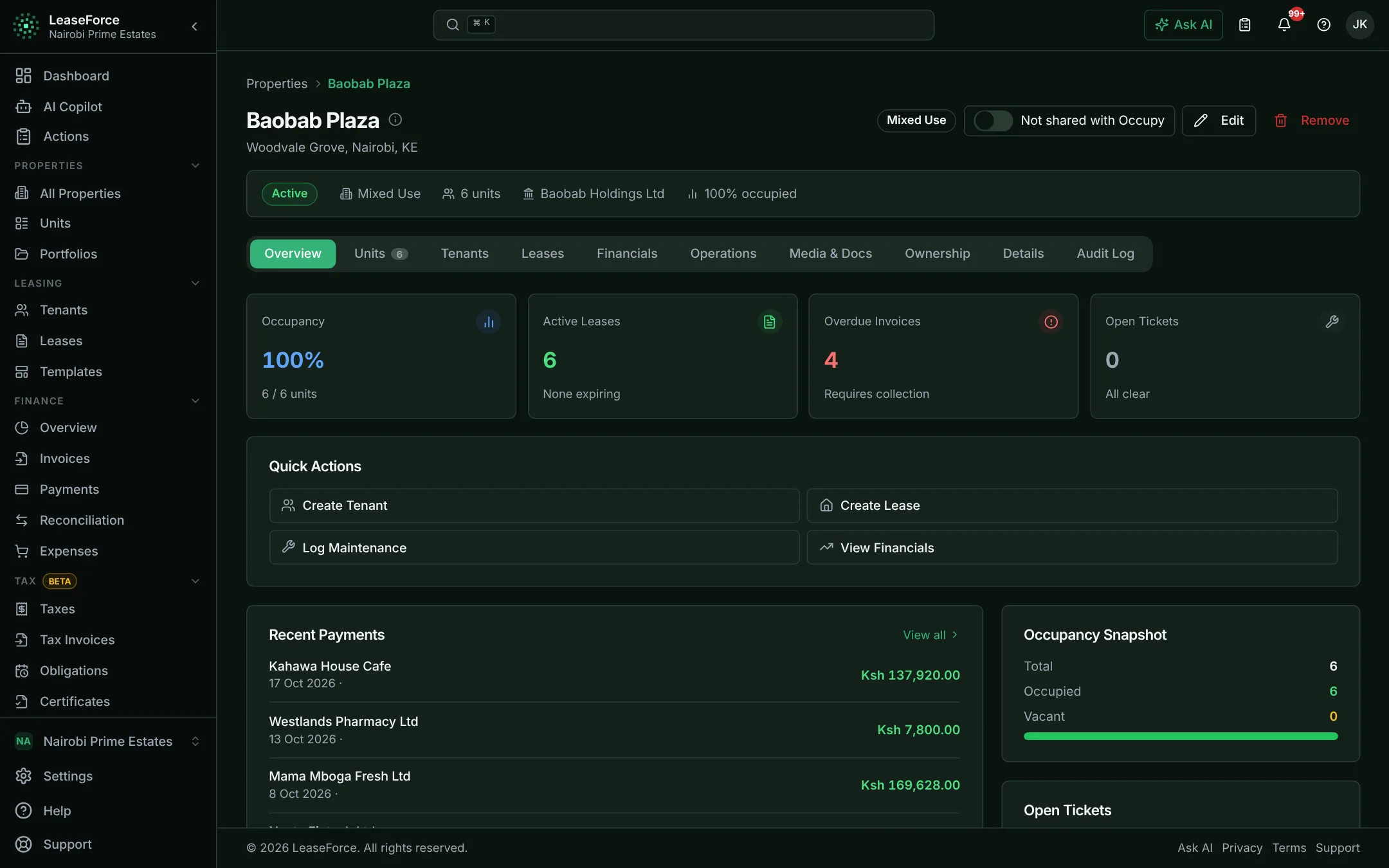
Serviced apartments & short stays
Fast turnover, many currencies, utilities split fairly.
See how it works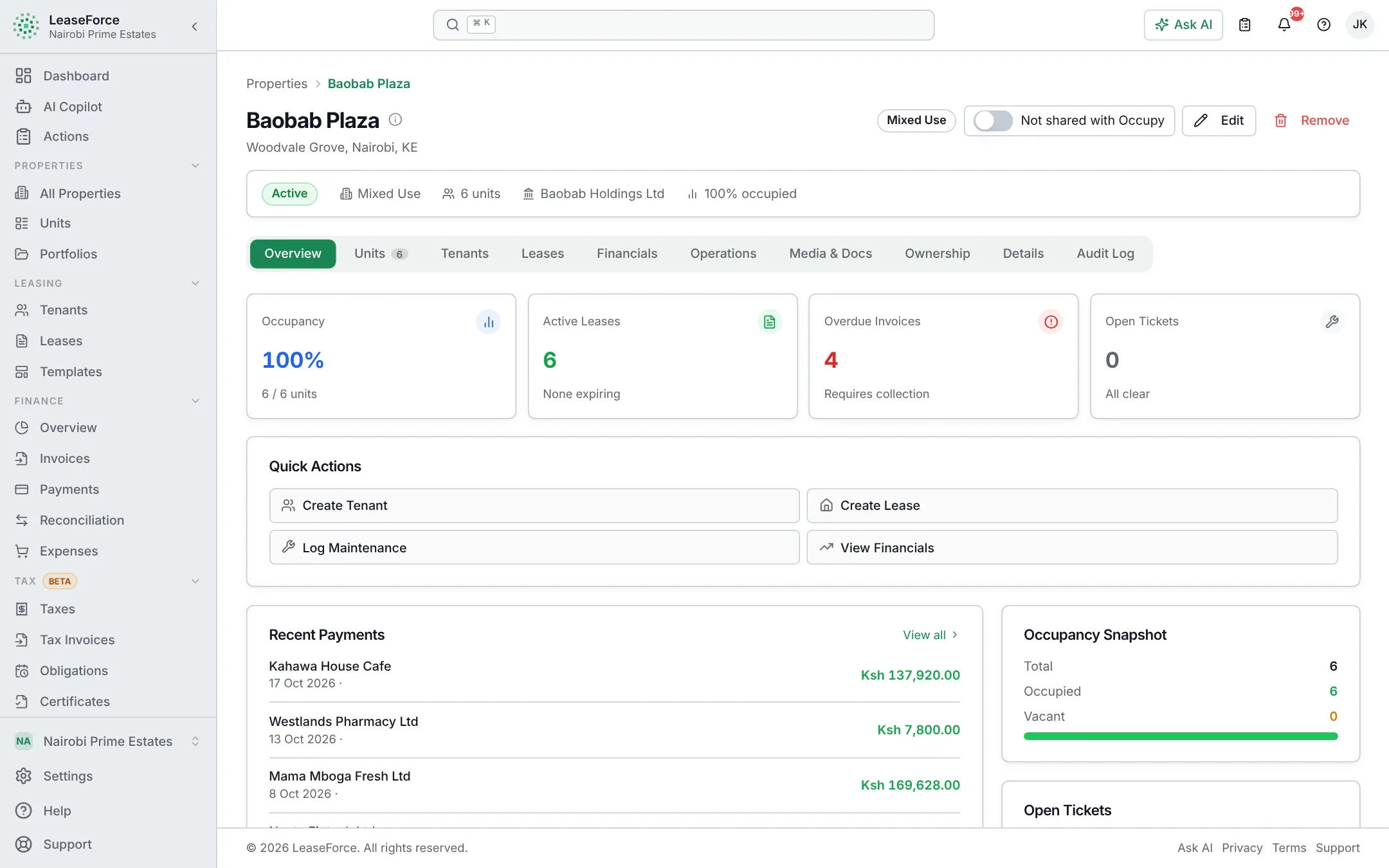
Commercial & offices
Varied leases, service charges and tax on every invoice, handled.
See how it works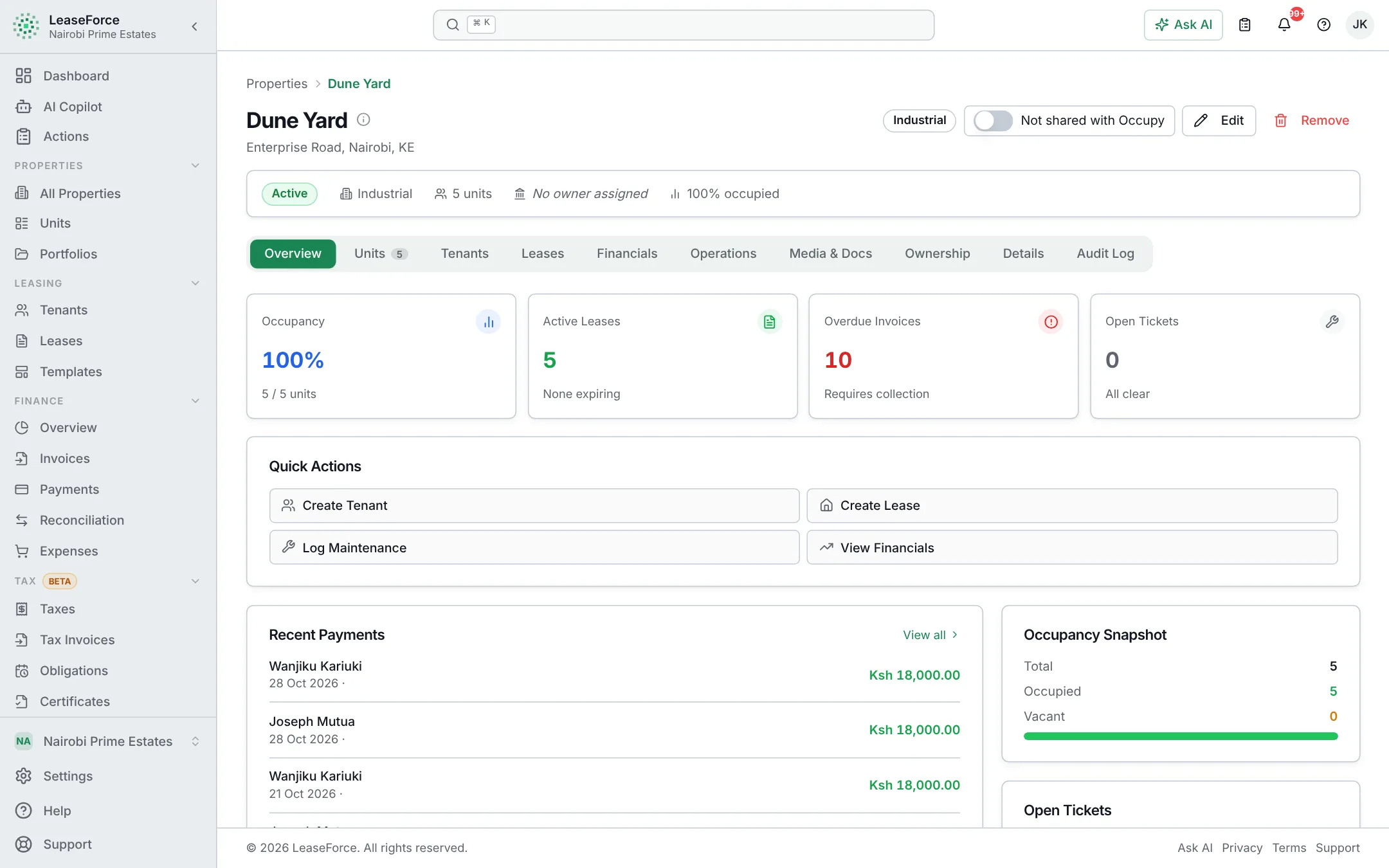
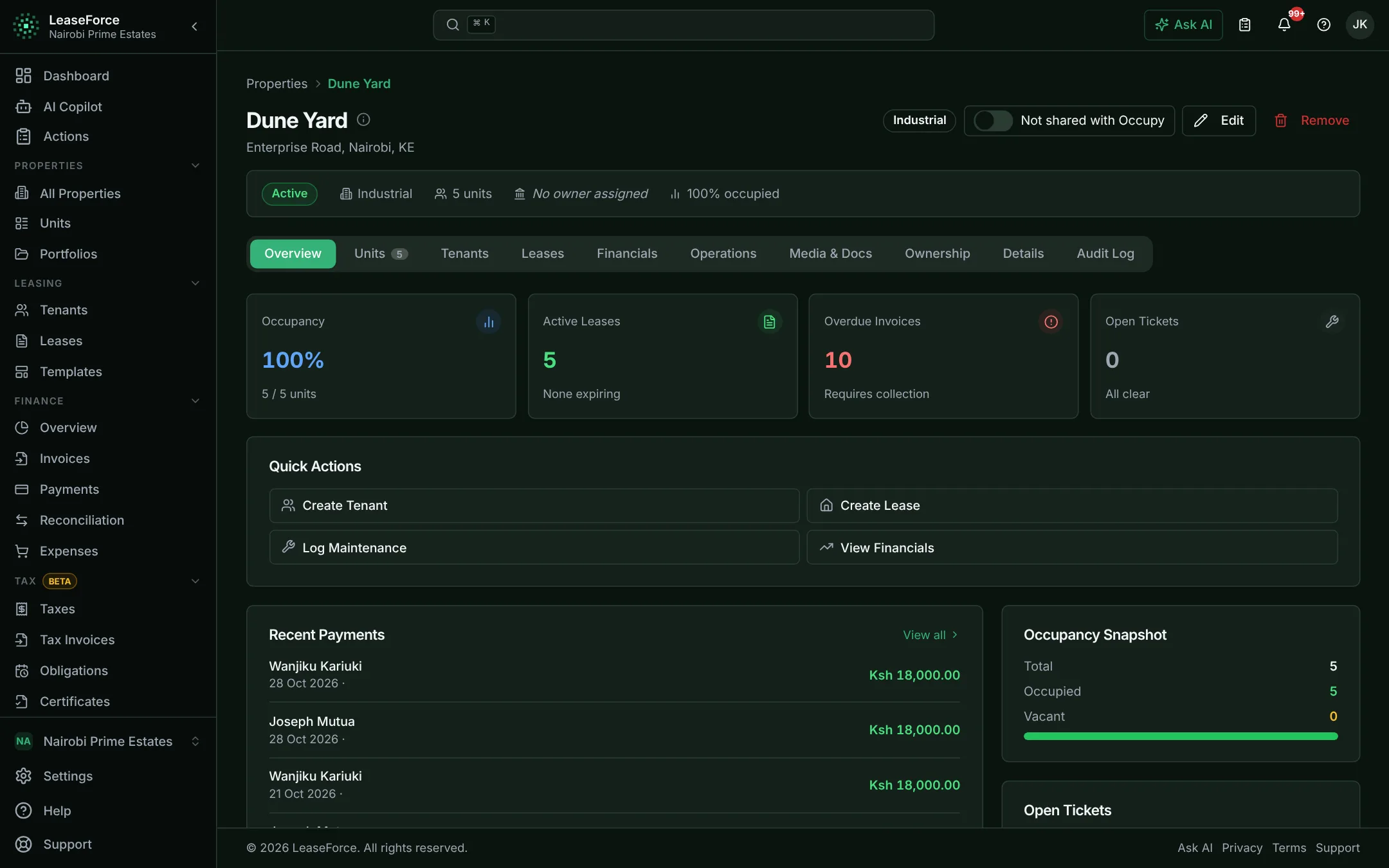
Industrial & warehouses
Long leases, big expenses and equipment, with sign-off and tax.
See how it works
Apartments & landlords
Collect rent and keep records without doing it by hand
Rent collected, matched and recorded. No paper, no spreadsheets, no agency cut.
- Automatic payment reconciliation
- M-Pesa Paybill and bank API integration
- Automatic invoicing & reminders
- Tenant portal
Where the time goes
Matching payments to tenants
Going through M-Pesa and bank statements line by line, guessing who paid when the account number is wrong.
Payments arrive by API and are matched to the tenant and invoice within seconds.
Preparing invoices and receipts
Writing or typing invoices every month and sending receipts one by one on WhatsApp or SMS.
Invoices go out on each tenant’s billing day, and receipts are sent as soon as payment lands.
Following up arrears
Working out who owes what from the book or sheet, then phoning tenants one at a time.
An arrears list by age is always current, and reminders go out automatically before and after the due date.
Answering tenant questions
Calls and messages asking “how much do I owe?” and “did my payment reach you?”
Tenants see their balance, invoices and receipts in their own portal.
How it compares, and common problems solved
Most landlords keep rent records in a book or an Excel sheet, and spend days each month matching M-Pesa and bank payments to tenants. As the number of tenants grows, many give up and hand the building to an agency that takes a share of the rent every month. This platform does the matching, receipting and record keeping automatically, so the landlord stays in control without the workload.
| Task | Paper book | Excel | Managing agency | LeaseForce |
|---|---|---|---|---|
| Matching payments | By hand | By hand | Agency staff, by hand | Automatic |
| Records up to date | When someone writes them | When someone updates them | When the agency reports | Always, as payments arrive |
| Landlord can see the figures | Only with the book | Only with the file | Monthly statement | Any time, on any device |
| Cost | Time | Time | A share of rent every month | A fixed price per unit |
Tenants pay with a wrong or missing account number.
Each tenant has one permanent payment code. Payments are also matched by phone number, and only payments that cannot be identified wait for a quick review.
Days at the end of every month spent matching M-Pesa and bank statements.
Paybill payments, and payments from banks that send API notifications, reconcile as they arrive. For other banks, AI reads the statement PDF and matches every line.
Nobody knows exactly who owes what, or for how long.
Every tenant has a running ledger, and the arrears report groups balances by 30, 60 and 90+ days. It can be emailed every week on a schedule.
The building has grown too big to manage alone, but agencies take a large cut.
Invoicing, matching, receipts and reminders run on their own, so a landlord or one caretaker can manage what used to need an agency.
Water bills are disputed every month.
Each unit has its own meter, readings are checked when entered, and the master meter shows any loss in the building.
Vacant units sit empty while adverts are posted by hand.
Vacant units can be listed on the Occupy marketplace automatically, and enquiries come back into the platform.
Property management agencies
Manage more buildings for more owners, with the same team
Many owners, one team. Owner statements and payouts done for you.
- Owner statements, fees & payouts
- Automatic payment reconciliation
- Roles, permissions & audit trail
- AI assistant
Where the time goes
Matching collections across buildings
Staff matching payments for every building from several bank and M-Pesa statements.
Payments arrive by API and are matched to the right tenant, building and owner automatically.
Owner statements
Building a statement for each owner from spreadsheets at month end.
Statements are produced per owner every period and emailed as PDFs.
Fees, tax and payouts
Working out management fees, tax and each owner’s payout by hand, then paying one by one.
Fees and tax follow each owner’s rules, and payouts are exported as bank or M-Pesa bulk files.
Owner questions
Calls and emails from owners asking about rent, arrears and expenses.
Owners check statements, expenses and documents in their own portal.
How it compares, and common problems solved
An agency’s month is spent collecting rent for many owners, matching every payment, working out fees and tax, and preparing a statement and payout for each owner. With spreadsheets or basic software, month-end takes days and each new building needs more staff. This platform does the matching, fees, statements and payouts automatically, so the agency can grow without growing the back office.
| Task | Excel | Accounting software | Other property software | LeaseForce |
|---|---|---|---|---|
| Matching collections | By hand | Statement imports | Often statement imports | Automatic, by API |
| Owner statements | Built by hand | Not built for owners | Often | Automatic, every period |
| Fees and payouts | By hand | By hand | Often basic | Rules per owner, bulk payout files |
| Staff access per building | Shared files | Not covered | Often limited | Limited to their properties |
Month-end owner statements take days.
Income is allocated to each owner as payments are matched. Fees, tax and payouts are calculated, and statements are emailed as PDFs.
Every owner has a different fee arrangement.
Fee rules are set for the agency, each owner or each property, with minimums and caps where needed.
Paying owners one by one takes hours.
Approved payouts are exported as bank or M-Pesa bulk payment files.
Owners keep calling for updates.
Owners log in to their own portal to see statements, expenses and documents for their properties only.
Staff should only see the buildings they manage.
Any team member can be limited to specific properties. An agent for Block A sees nothing in Block B.
Answering portfolio questions means digging through reports.
The AI assistant answers questions such as “who is more than 30 days late at Block B?” from live data.
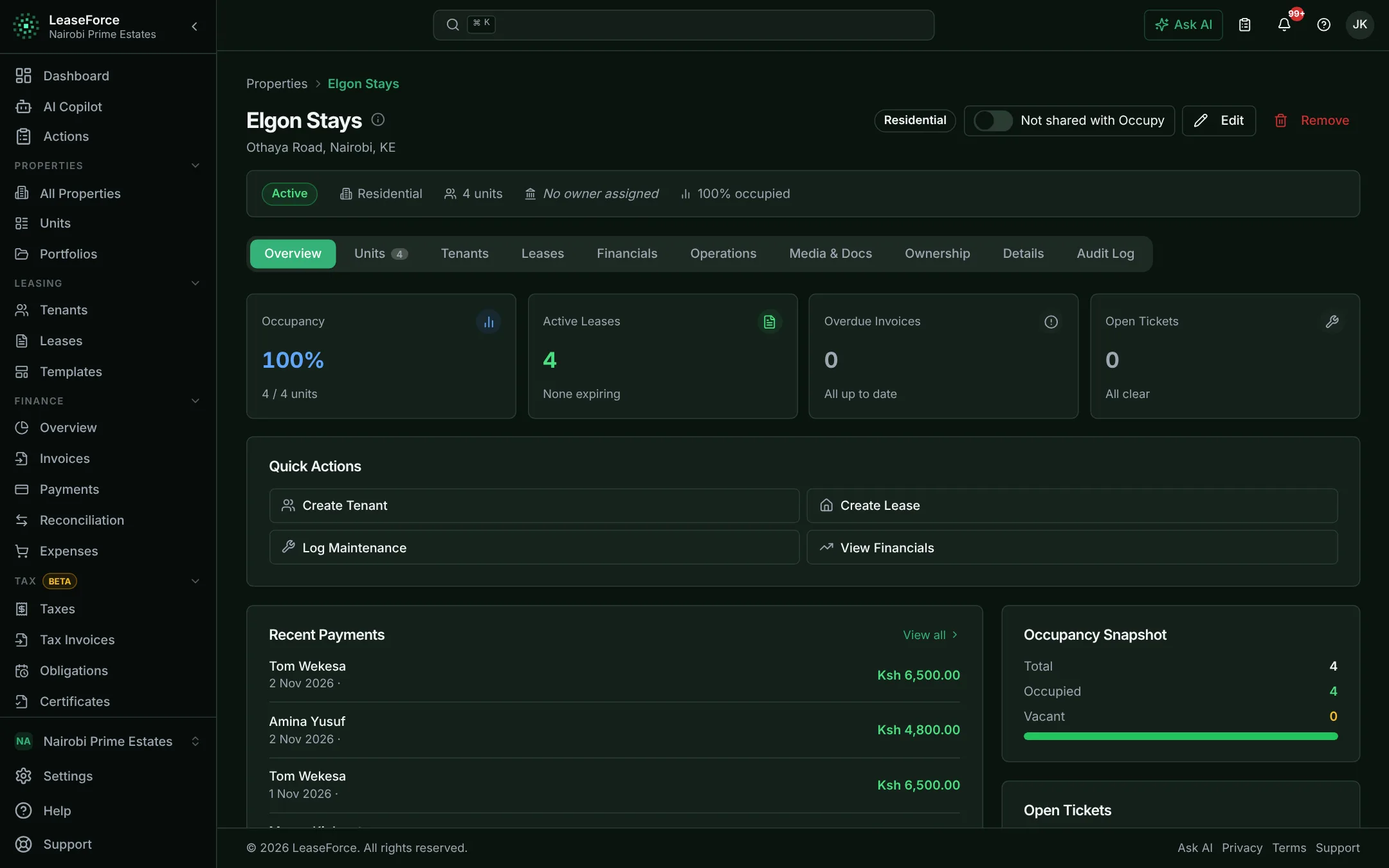
Hostels & student housing
Move in a whole intake and get every payment matched
Whole intakes moved in, billed and reconciled in days, not weeks.
- Import & export
- Automatic payment reconciliation
- Lease management
- Email, SMS & in-app notices
Where the time goes
Registering a new intake
Typing every student, room and agreement into a register or sheet, one by one.
The whole intake is imported from one Excel or CSV file, with every row checked before it is saved.
Matching fee payments
Hundreds of payments in the same week, many paid by parents or sponsors with no clear reference.
Each payment is matched by the student’s payment code or phone number and receipted automatically.
Handling deposits
Tracking who paid a deposit, what was damaged and what is owed back, often at the end of term in a rush.
Each deposit is recorded on the student’s lease, and claims and refunds are recorded with reasons.
Answering students
A queue at the office asking about balances, receipts and repairs.
Students check balances, receipts and repair requests in their portal, and notices reach everyone at once.
How it compares, and common problems solved
Hostels deal with most of the year’s work in a few weeks: hundreds of students moving in, paying fees and deposits, often through parents and sponsors who use the wrong reference. Most of this is handled on registers and spreadsheets. This platform imports the intake in one go and matches every payment automatically, so balances are right on day one.
| Task | Paper register | Excel | Other software | LeaseForce |
|---|---|---|---|---|
| Registering an intake | One by one | Copy and paste | Often one by one | One file import, checked |
| Matching fee payments | By hand | By hand | Often manual imports | Automatic, by API |
| Deposits | Notes in a book | A separate sheet | Varies | On each lease, with history |
| Students check balances | At the office | At the office | Sometimes | In their own portal |
Every term means registering hundreds of students at once.
Students, rooms and leases are imported from one spreadsheet. One lease template is applied to every room.
Parents and sponsors pay with the wrong reference.
Each student has a permanent payment code, and payments are also matched by phone number. Only payments that cannot be identified wait for review.
Payments pile up faster than the office can record them.
Paybill payments, and payments from banks that send API notifications, reconcile automatically as they arrive, so balances are correct the same day.
Deposits are slow to return and easy to dispute.
Each deposit sits on the lease. Deductions are recorded with a reason, the rest is refunded, and every step is logged.
The same questions are asked again and again.
Balances, receipts and repair status are in the student portal, and announcements go out by SMS, email and in the app.
Rooms go unfilled between intakes.
Vacant rooms can be listed on the Occupy marketplace automatically, and enquiries come back into the platform.
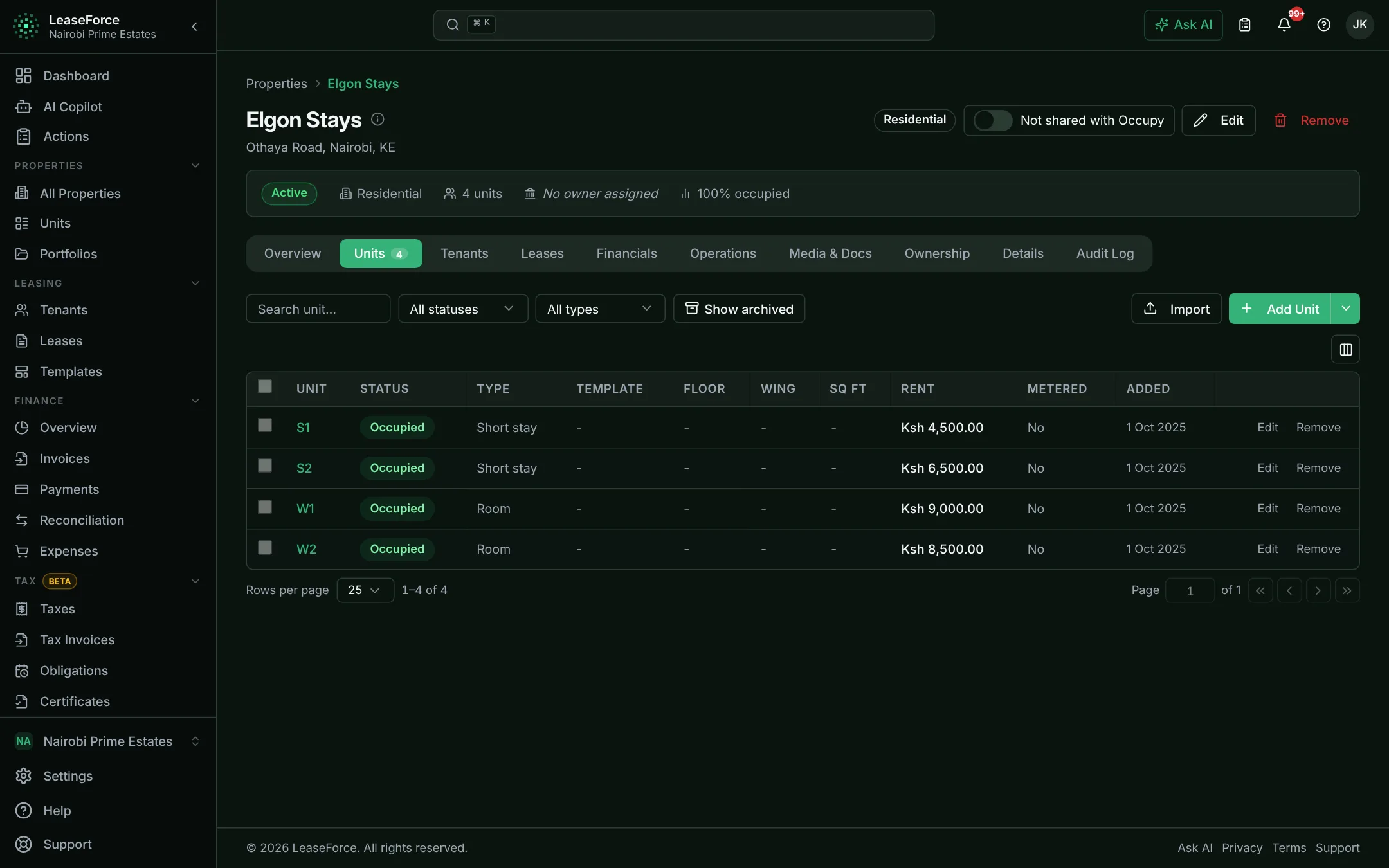
Serviced apartments & short stays
Bill guests in their own currency and keep up with turnover
Fast turnover, many currencies, utilities split fairly.
- Multi-currency invoicing & payments
- Automatic payment reconciliation
- Metered utility billing
- Lease management
Where the time goes
Invoicing each stay
Making an invoice for each guest by hand, often in a different currency each time.
Branded invoices go out automatically in the guest’s own currency.
Working out currencies
Converting payments by hand so the books add up.
The books and reports stay in one base currency at the rates set in the organisation settings.
Splitting utilities
Estimating each unit’s share of water and power, and arguing over it.
Each unit is billed from its own meter, and the master meter shows any loss.
Settling deposits
Checking notes and messages at checkout to agree what is owed back.
The deposit is on the stay’s record, with deductions and refunds logged.
How it compares, and common problems solved
Serviced apartments see guests arrive and leave every month, often paying in different currencies and by different methods. Invoices, deposits and utilities are usually tracked in spreadsheets that fall behind. This platform invoices each guest in their own currency, splits utilities from meter readings and matches payments automatically.
| Task | Excel | Booking tools | Other property software | LeaseForce |
|---|---|---|---|---|
| Different currencies | Converted by hand | Bookings only | Often one currency | Per lease, invoice and payment |
| Utilities | Estimated | Not covered | Varies | From each unit’s meter |
| Matching payments | By hand | Card payments only | Often manual | Automatic, by API |
| Accounts and tax | Separate | Not covered | Varies | Built in |
Guests pay in different currencies.
Each lease, invoice and payment can be in its own currency, while reports stay in the base currency.
Invoices need to go out fast and look professional.
Invoices and receipts carry the logo, colours and trading name, and are sent by email as soon as they are issued.
Shared utilities are hard to split fairly.
Each unit has its own meter. The master meter is compared with the total, and shared use is split in proportion.
Deposits cause arguments at checkout.
Each deposit is recorded against the stay, with any deductions and the refund logged with reasons.
Units sit empty between guests.
Vacant units can be listed on the Occupy marketplace automatically, and enquiries come back into the platform.
Records fall behind during busy months.
Invoices, matching and receipts run automatically, so the records keep up without extra staff.
Commercial & offices
Bill commercial tenants correctly, with tax done automatically
Varied leases, service charges and tax on every invoice, handled.
- Configurable tax engine
- KRA eTIMS integration
- Bank API reconciliation, configurable to any bank
- Approval workflows
Where the time goes
Preparing invoices
Working out each tenant’s rent, service charge, escalation and VAT in a spreadsheet every period.
Each lease bills itself on its own cycle, with escalations and tax applied automatically.
Tax invoices and withholding
Creating eTIMS invoices separately, and chasing withholding certificates to explain short payments.
Tax invoices are submitted to eTIMS as invoices are issued, and tenant withholding is tracked against each invoice.
Matching bank transfers
Matching transfers from company accounts to invoices from the bank statement.
Banks that send API payment notifications deliver each transfer as it happens, matched to the right invoice automatically.
Filing tax
Rebuilding the period’s VAT and withholding figures from invoices before every return.
Every tax is recorded by period, with obligations, reminders and a filing pack ready.
How it compares, and common problems solved
Commercial buildings run on many different lease terms, service charges, escalations and taxes. Corporate tenants withhold tax, expect proper tax invoices and pay by bank transfer. This is usually managed in Excel with an accountant fixing the tax afterwards. This platform bills each lease on its own terms, calculates the tax on every invoice and submits tax invoices to KRA eTIMS.
| Task | Excel + accountant | Accounting software | Other property software | LeaseForce |
|---|---|---|---|---|
| Lease terms and escalations | Worked out by hand | Not built for leases | Often | Per lease, automatic |
| VAT and withholding | Fixed afterwards | Basic | Often limited | On every invoice and expense |
| KRA eTIMS | Separate step | Varies | Varies | Submitted automatically |
| Matching bank transfers | By hand | Statement imports | Often statement imports | Automatic, from banks with API notifications |
Every lease has its own cycle, due date, escalation and late fee.
Billing cycle, billing day, grace period, escalations and late fees are set per lease. Rent, service charge and one-off charges sit on the same invoice.
Corporate tenants withhold tax and pay short.
Tenant withholding is set up per lease. The withheld amount settles its part of the invoice, and the certificate is tracked until it arrives.
Tax invoices are created by hand in a separate system.
Tax invoices are submitted to KRA eTIMS as invoices are issued and reach the tenant with the QR code. Other tax authorities are coming soon.
Preparing tax returns means rebuilding figures every period.
VAT, withholding and other taxes are recorded per period. Filing packs can be customised to match the organisation’s own return format.
Expense approvals live in email threads.
Expenses and refunds go through approval chains, in order or in parallel, and every decision is recorded.
Owners and finance teams wait for month-end reports.
Income statement, balance sheet, arrears and tax reports are always current and can be emailed on a schedule.
Industrial & warehouses
Control large leases, large expenses and the equipment inside
Long leases, big expenses and equipment, with sign-off and tax.
- Approval workflows
- Expenses & vendors
- Maintenance & assets
- Lease management
Where the time goes
Approving large expenses
Chasing sign-off from several people over email and phone before a supplier can be paid.
Each expense follows its approval chain automatically, and every decision is recorded.
Withholding tax on suppliers
Working out withholding on each payment and preparing certificates by hand.
VAT and withholding are calculated on each expense, and certificates are prepared for each payment.
Tracking equipment
Service records for lifts, generators and pumps scattered across files.
Each asset has its own record and full repair history.
Managing long leases
Keeping track of escalation dates and lease changes in documents and reminders.
Escalations apply on their own date, and every lease change is recorded.
How it compares, and common problems solved
Industrial properties have fewer tenants but bigger numbers: long leases, high-value repairs and equipment that needs regular servicing. Expenses are often approved over email and tracked in spreadsheets. This platform keeps leases, assets and expenses in one place, with approvals and tax handled before any money is paid.
| Task | Excel + email | Accounting software | Other property software | LeaseForce |
|---|---|---|---|---|
| Expense approvals | Email threads | Basic | Often basic | Multi-step chains, recorded |
| Withholding on suppliers | By hand | Varies | Often limited | Calculated on every expense |
| Equipment history | Scattered files | Not covered | Varies | Per asset, in one place |
| Escalations | Calendar reminders | Not covered | Often | Applied automatically |
Large expenses need several sign-offs.
Approvals run from property manager to finance to director, or any mix of people and roles, before anything is paid.
Withholding tax on suppliers is worked out by hand.
VAT and withholding are calculated on each expense from the supplier’s tax details, and certificates are prepared for each payment.
Equipment service history is lost.
Assets are registered against units, and repairs are raised against the specific asset, so its history is always in one place.
Lease documents must be consistent.
Lease templates are set up once and documents generated from them. Every lease change records who made it and why.
Escalation dates are missed.
Rent escalations are scheduled on the lease and applied automatically on their date.
The true cost of running each building is unclear.
Every expense is recorded against its property, and reports show income and costs per building.
See your rent reconcile itself.
Set up in an afternoon, on any device. Free for up to 5 units.