Kenya
Property management software built for Kenya
LeaseForce works the way Kenyan rent is paid: by M-Pesa, through the bank and in cash. It invoices tenants, matches every payment to the right tenant, sends tax invoices to KRA eTIMS and keeps the books, for landlords and agencies alike.
Common problems
What landlords in Kenya deal with, and how it is solved
Rent arrives through M-Pesa, the bank and cash
Every channel feeds one place and follows the same matching rules, so each tenant has one balance that is always up to date.
Tenants enter the wrong M-Pesa account number
Each tenant gets a permanent payment code, printed on every invoice. If they still get it wrong, the phone number they paid from is used to suggest who paid.
Chasing late rent by phone
Reminders go out by SMS, WhatsApp and email on schedule, late fees are added under each lease’s rules, and the arrears report shows who owes what and for how long.
Water bills that do not add up
Each unit’s meter reading is billed on the tenant’s next invoice, and the main meter reading shows how much water is being lost.
KRA eTIMS tax invoices
Tax invoices are sent to KRA eTIMS as they are issued, and each one reaches the tenant with KRA’s QR code on it.
Monthly rental income tax
Rent collected is tracked month by month. The tax due shows with its due date, and a filing pack is ready for the return.
Company tenants deducting withholding tax from rent
Mark the lease as one where the tenant withholds tax. Their invoices and balance then reflect what they deduct, and their certificates are tracked.
Owners waiting for their statements and money
Agencies get each owner’s fees, statement and payout worked out automatically, with bank or M-Pesa bulk payment files. Owners check their figures in their own portal.
Caretakers and staff handling money
Each person sees only their building. Cash received is recorded and receipted, expenses need approval before they are paid, and every action is logged.
Payments
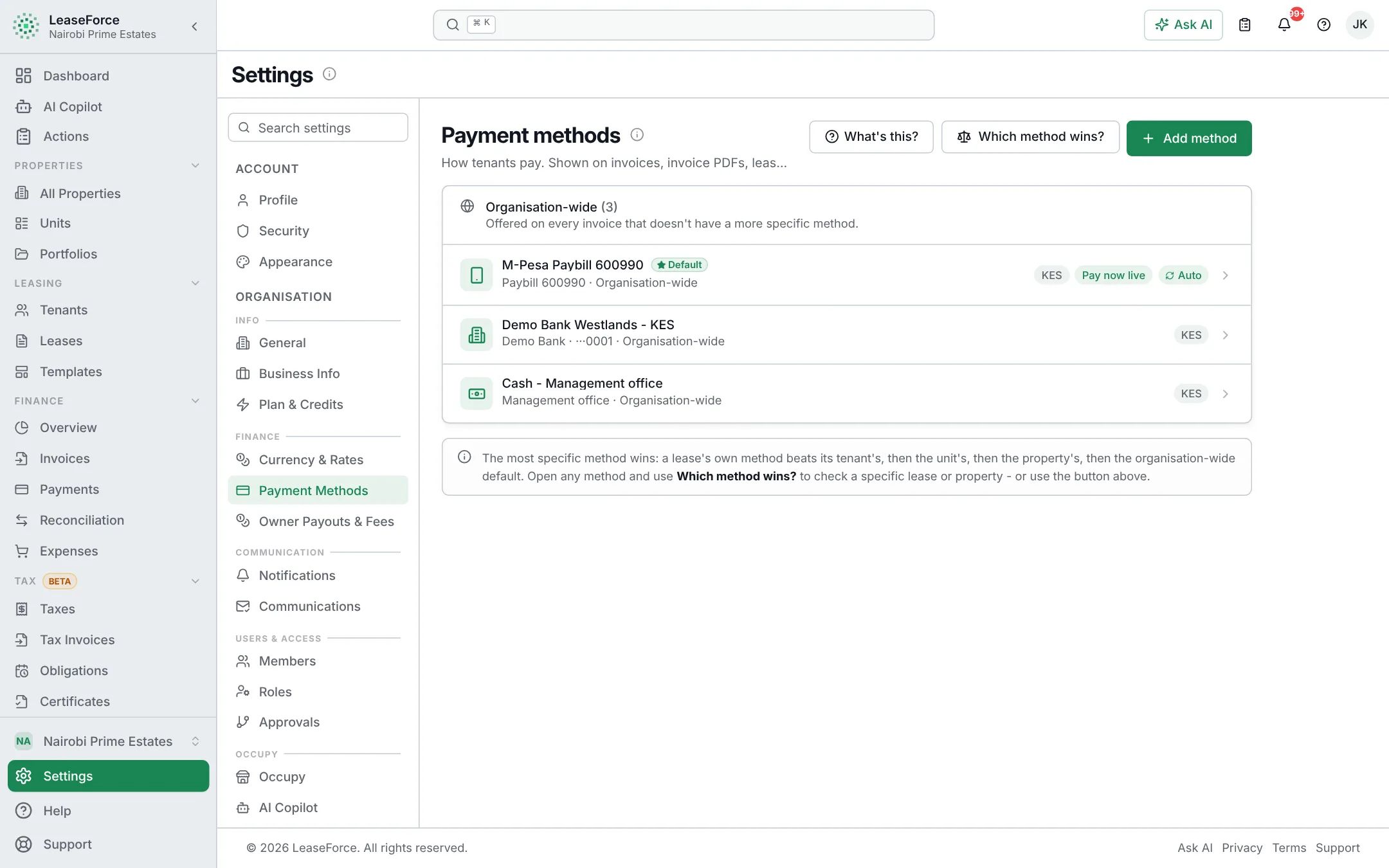
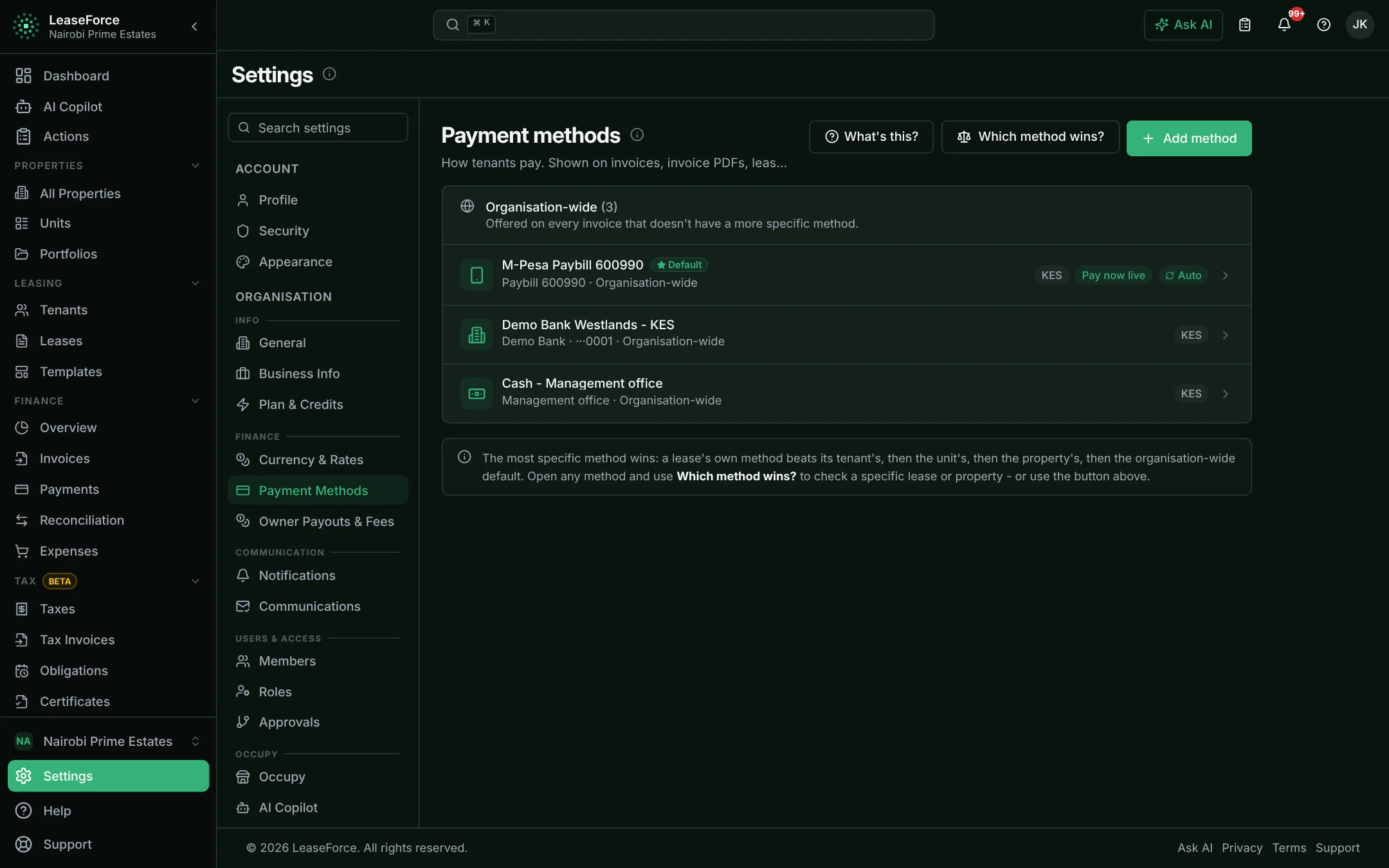
Every way tenants pay, and how each one is matched
Each tenant has one permanent payment code. Whichever way they pay, that code is how the payment finds its way to the right invoice.
Your own M-Pesa Paybill
- How it is matched
- The tenant enters their payment code as the account number. The payment is matched and receipted within seconds.
- Setup
- Link your Paybill through Safaricom’s Daraja portal, following the steps in the app.
Your bank’s Paybill
- How it is matched
- The tenant pays into your bank account through the bank’s Paybill, entering your account number followed by their payment code where the bank allows it.
- Setup
- Matched from your bank’s payment notifications, or from its statement.
M-Pesa prompt on the tenant’s phone
- How it is matched
- From the tenant portal or a payment link, the tenant enters their phone number and approves the M-Pesa prompt with their PIN. The payment goes straight to that invoice.
- Setup
- Uses your connected Paybill. Nothing extra to set up.
Bank transfer, RTGS, EFT and PesaLink
- How it is matched
- The tenant uses their payment code as the reference. If your bank sends payment notifications, the payment is matched within seconds.
- Setup
- Ask your bank for payment notifications. If it does not offer them, upload the statement and AI reads it (Agency plan and above).
Card
- How it is matched
- Paid through a card payment gateway, matched the moment the gateway confirms it.
- Setup
- Connect any gateway that sends a notification for each payment.
Cash and cheque
- How it is matched
- Your staff record the payment in a few clicks, and the tenant gets a receipt straight away.
- Setup
- Nothing to set up. Who may record cash is controlled by role.
Integrations
Connected to what Kenya runs on
- Live
M-Pesa (Safaricom Daraja)
Paybill payments matched in real time, and M-Pesa payment prompts sent to tenants’ phones.
- Live
Bank payment notifications
Any Kenyan bank or payment gateway that sends a notification for each incoming payment.
- Live
KRA eTIMS
Tax invoices submitted to KRA as they are issued, with KRA’s QR code.
- Live
SMS and WhatsApp
Invoices, receipts, reminders and notices sent to tenants’ phones.
- Live
Occupy marketplace
Vacant units advertised to people looking for a place, and enquiries sent back to you.
- Coming soon
Smart water meters
Readings sent automatically, with no meter rounds.
Tax
Kenya’s taxes, worked out for you
Add Kenya’s taxes from a ready-made preset, then each one is applied by itself to the invoices, expenses and payouts it belongs to.
Monthly rental income tax
Worked out on residential rent collected, with the amount due each month and a filing pack.
VAT on commercial rent
Added to commercial tenants’ invoices and sent to KRA eTIMS.
Withholding tax on rent
For company tenants who deduct tax from what they pay you.
Withholding tax on suppliers
Deducted from contractor and supplier payments where it applies.
Rates come from the Kenya preset and can be changed. Confirm them with your accountant.
Questions
Common questions from Kenya
Does it work with M-Pesa?
Yes. Connect your Paybill and every M-Pesa payment is matched to the right tenant and invoice within seconds. Tenants can also pay through an M-Pesa prompt on their phone.
Can tenants pay into my bank account through the bank’s Paybill?
Yes. Tenants enter your account number, followed by their payment code where your bank allows it. The payments are matched from your bank’s notifications or its statement.
Which Kenyan banks work?
Any bank that can send a notification for each incoming payment. Ask your bank’s business banking team for “instant payment notifications”. A statement from any bank can be uploaded instead (Agency plan and above).
Does it send invoices to KRA eTIMS?
Yes. Tax invoices are submitted to KRA eTIMS as they are issued, and each one carries KRA’s QR code.
Does it handle monthly rental income tax?
Yes. Rent collected is tracked by month, the tax due shows with its due date, and a filing pack is prepared for the return.
Are prices in shillings?
Yes. Prices are in KES and include VAT. The Starter plan is free for up to 5 units, with every core feature included.
Read more
How the main features work
M-Pesa reconciliation
M-Pesa rent payments, matched and receipted in seconds
Bank API reconciliation
Bank payments matched as they land, not at month end
Payment reconciliation
Every rent payment matched to the right tenant, automatically
AI
AI that does property management work, not just chat
See your rent reconcile itself.
Set up in an afternoon, on any device. Free for up to 5 units.